Send it, and know when it's coming.
An invoice carries your terms, your logo and color, and the customer's currency shown beside the USD figure that lands in your books. Reminders go out on the schedule you set and stop on their own. And before you decide whether to nudge this customer, a card shows how long businesses like yours actually wait to be paid by them.
The invoice
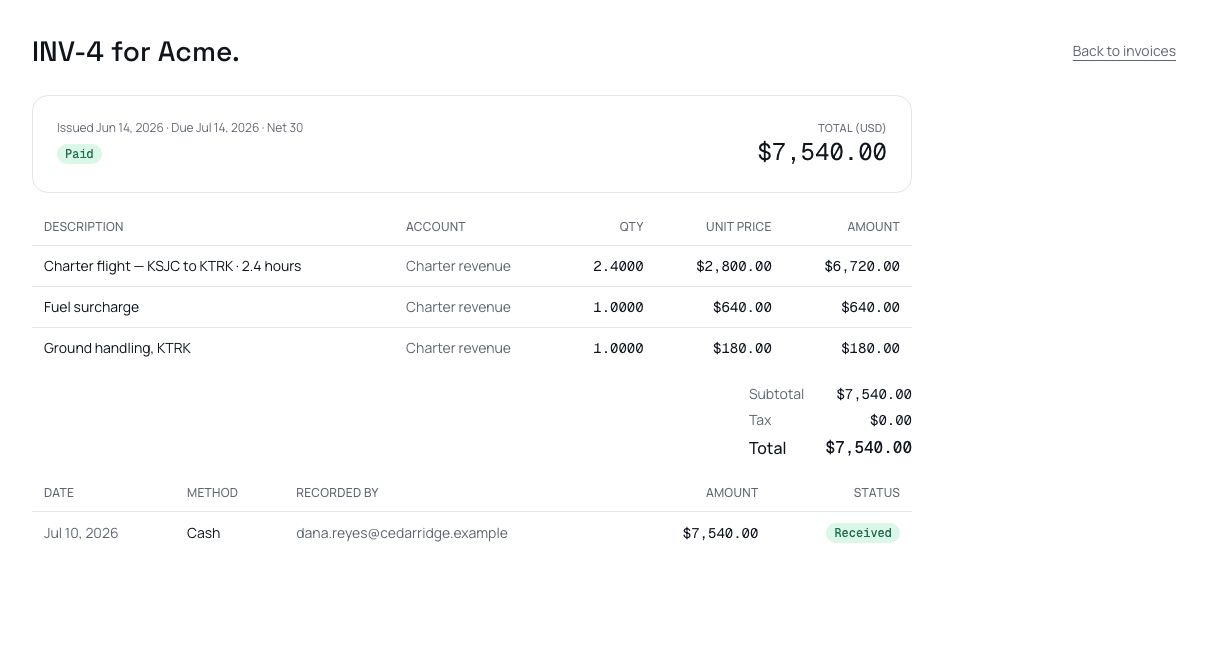
Terms are a number of days, set at the tenant, entity, or customer level. The payment posts straight onto the invoice — nothing to reconcile by hand.
Terms are a number of days — Net 15, Net 30, whatever you set — not a fixed date, so the due date follows the invoice. Pick from four PDF layouts in Settings → Branding: Classic, Banner, Letterhead, and Split, each carrying your logo and your color. A customer billed in another currency sees their currency on the PDF; the ledger always keeps the USD figure.
Reminders on your schedule
Pay by card
Connect Stripe from Settings → Invoicing, and every invoice carries a link to a hosted checkout page — the customer enters their card there, never on a Nummio server. The payment posts itself onto the invoice the moment it clears; nothing to enter by hand.
Tap to Pay on iPhone
Tap to Pay on iPhone is rolling out: when it's on for your business, you open the invoice in the iPhone app, the customer taps their card to your phone, and the payment posts to the same invoice the same way a Stripe checkout payment does.
How this customer pays other businesses like yours
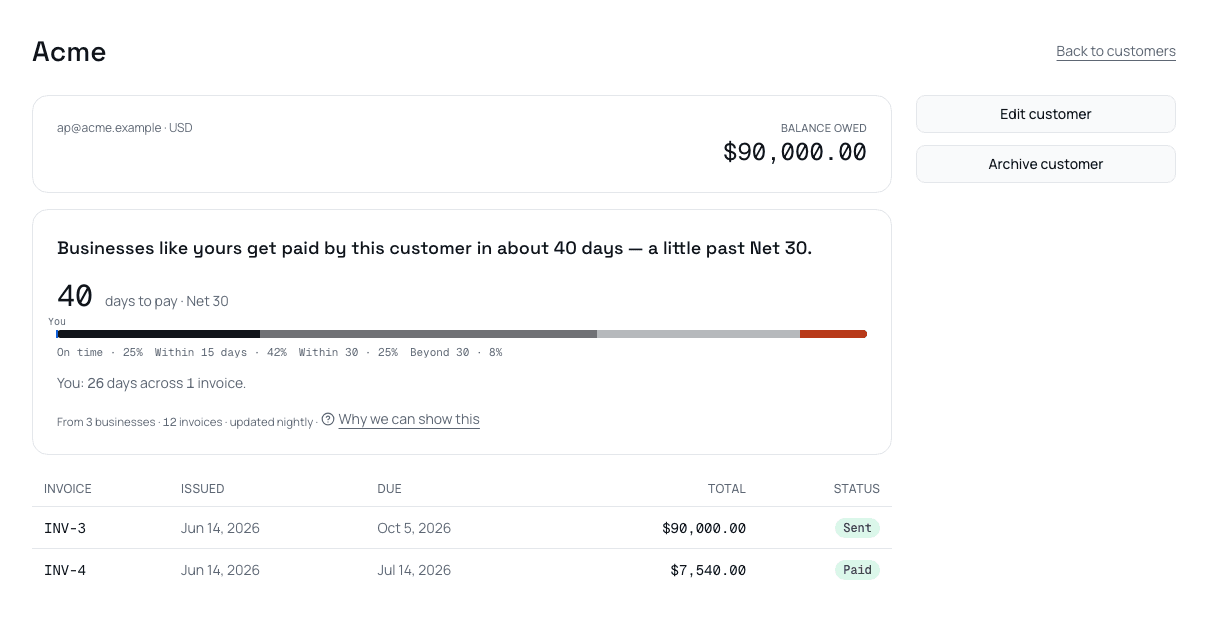
The card states a fact about timing, never a judgment about the customer.
Turn on Payment guidelines in Settings → Your business, and each invoice this business gets paid adds one anonymous row to a shared pool: a one-way hash of the customer's email domain, your industry, the invoice's terms, days to payment, a size band, the month, and the payment channel. Never an amount, a name, an invoice, or a business id — and customers on personal email providers are excluded from the pool entirely.
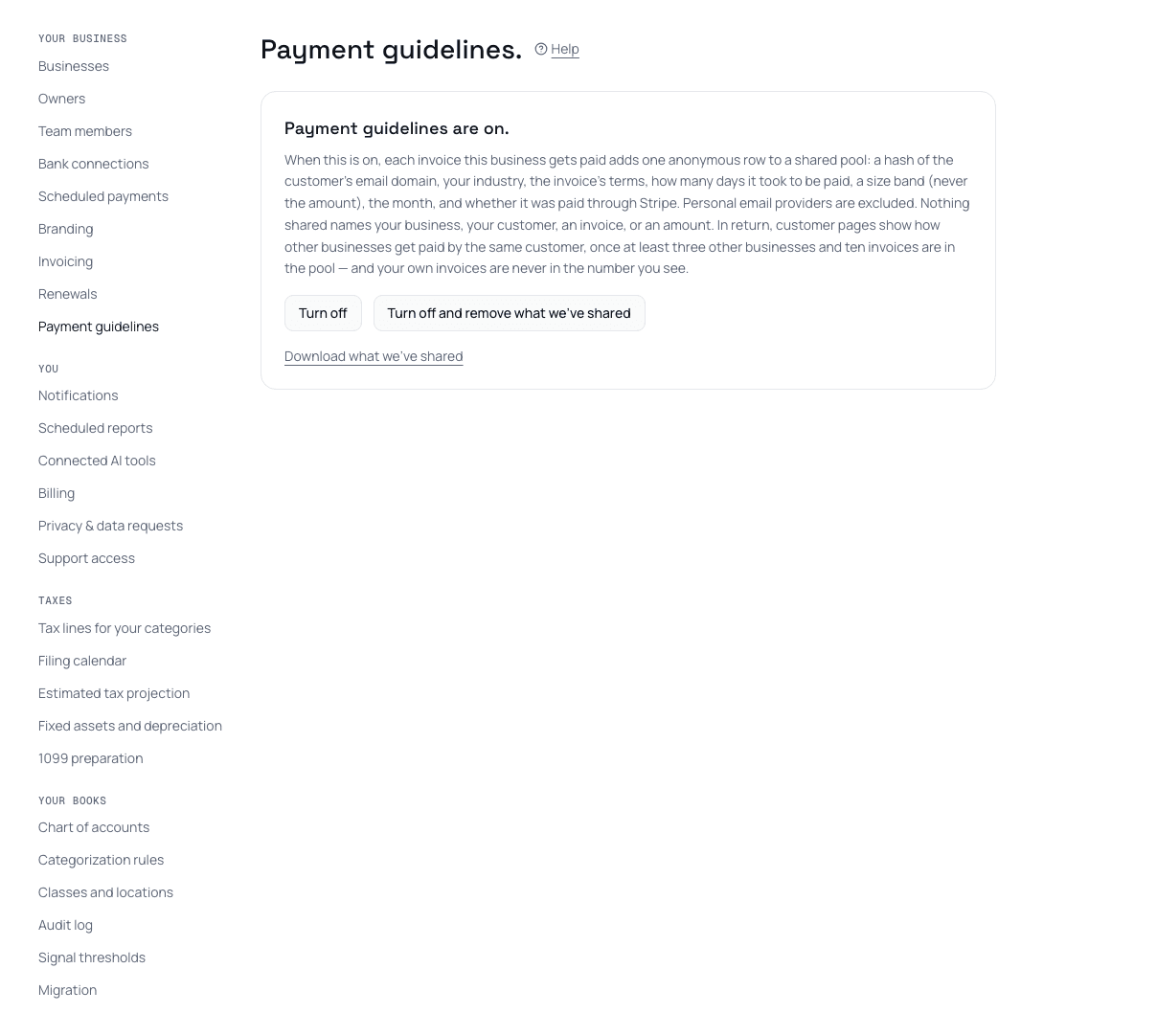
On is a choice, and it stays reversible: download what's been shared, turn it off, or have it removed.
A customer's card only appears once at least three other businesses and ten of their invoices are in the pool for that customer — and your own invoices are never in the number you see, so nothing about your own history can be read back out of it. The floor is enforced inside the database function pool.guideline_for, not in the app: packages/db/src/pool-schema.test.ts proves it returns nothing below three other businesses and ten invoices for a given customer. The same test asserts the pool's schema has no column that could hold an amount — no bigint, no foreign key into your books, no free-text field — so there's no amount to enter even by mistake. Download what's been shared, turn it off, or ask for it to be removed, any time.
Send the first one today.
Thirty days free. Your terms, your branding, your reminders.